
Overview | News | Windows | macOS | Android | iOS | Audio Formats | Components | Encoder Pack | Screenshots | Help & Support | Developer | Old Versions | Other Projects
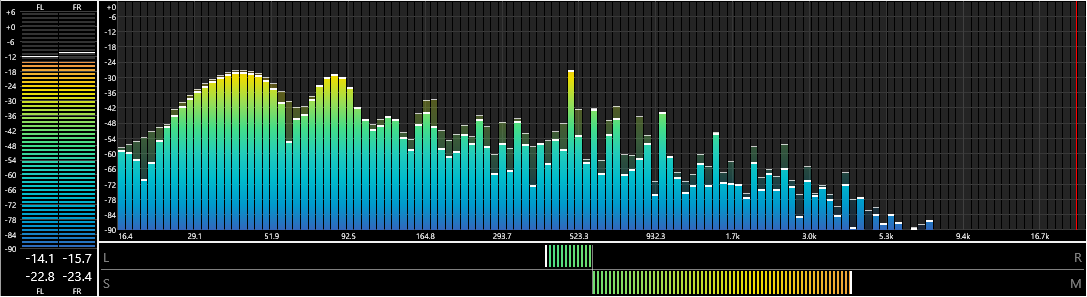
Spectrum Analyzer
By: pqyt
Version: 0.7.5.0, released on 2024-04-04 (archived)
Change log:
-
New: Spectogram visualization.
- Static or scrolling
- New: Peak Meter visualization.
- New: Built-in SoX color scheme and corresponding non-linear amplitude color map suited for the spectogram visualization.
- New: The context menu can be used to load a preset.
- New: Artwork Fit mode. Defaults to "Fit Big".
- Improved: Double-clicking a preset activates it.
- Improved: Edge cases for the scaling and position of the spectrum bars and curve vs. the X-axis.
- Improved: LED Mode is also applied to the bar background.
- Improved: The LED size and gap can be configured.
- Improved: The font of the X and Y-axis can be configured in all visualizations.
- Fixed: Privacy issue: The preset path will no longer be saved to a preset file.
- Fixed: The spin buttons were not updated when switching between multiple graphs in the configuration dialog.
- Fixed: Inconsistent state of the color buttons and values when switching between styles in the configuration dialog.
- Fixed: User interface colors were not activated after loading a preset.
- Fixed: The custom Solid color was not always saved correctly.
- Fixed: Deadlock condition specific to CUI when playback was set to resume at startup.
- Fixed: Memory leak in tool tips when resizing the component.
- Fixed: Artwork should now consistently be rendered when requested.
Supported systems: Windows 32-bit, Windows 64-bit.
advertisement
Links
View version history
View latest version and component description
Home page
Documentation
Discussion
Source code
advertisement
How to install a component?