
Overview | News | Windows | macOS | Android | iOS | Audio Formats | Components | Encoder Pack | Screenshots | Help & Support | Developer | Old Versions | Other Projects
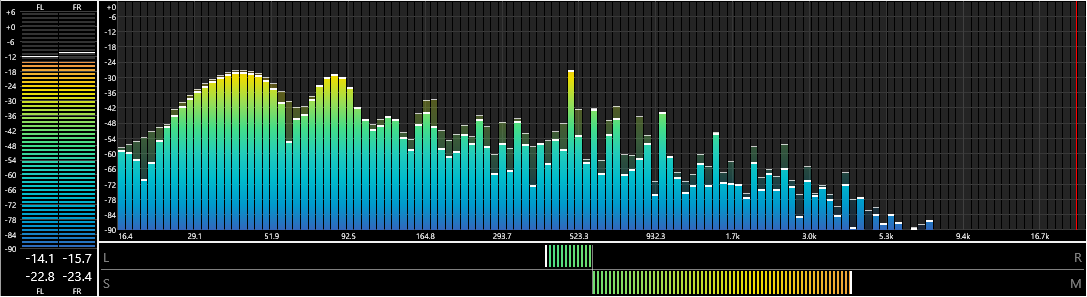
Spectrum Analyzer
By: pqyt
Version: 0.7.1.0, released on 2024-02-29 (archived)
Change log:
- New: Sliding Windowed Infinite Fourier Transform (SWIFT).
- New: Reaction Alignment parameter allow you to control the delay between the actual playback and the visualization.
- New: The X-axis can be displayed on top, below or on both sides of the spectrum.
- New: The Y-axis can be displayed on left, right or on both sides of the spectrum.
- New: Option to enable or disable the rendering of the mirror image of the spectrum (Anything above the Nyquist frequency). Default is disabled.
-
New: Multiple graphs.
- Each graph can be configured to show the analysis of one or more channels.
- A graph can be flipped horizontally or vertically.
- Graphs can be stacked vertically or on a horizontal line.
- New: The style of the graph description background can be specified.
- New: A marker for the Nyquist frequency can be enabled on the Styles page.
- New: Context menu item to freeze and unfreeze the component.
- Improved: Rendering and spectrum computation are not performed when the component window is hidden (to reduce the load on the computer).
- Improved: The frequency tooltip tries to stay within borders of the component.
- Improved: Tweaked the background painting again to prevent flashes when resizing the component.
- Changed: Y-axis mode Logarithmic is now called Linear/n-th root.
- Changed: To avoid confusion color source None for the background has been disabled until it can be properly implemented.
- Fixed: Added some missing range checks in the configuration dialog that could lead to a crash.
- Fixed (Regression): Incorrect background color during startup caused a bright flash in dark mode.
- Fixed: The graph description will not be shown when it is left empty or when its color source is set to "None".
- Fixed: The gradient brushes were not recreated when the graph was resized.
- Fixed: X-axis scaling did not obey the selected scaling function.
- Fixed: Most visual elements with color source "None" ignored the setting.
- Fixed: The selected gradient color scheme was not activated after startup.
- Fixed: Reversing the colors of a gradient did not recalculate the position of the colors. Instead it spread out the color evenly.
Supported systems: Windows 32-bit, Windows 64-bit.

Links
View version history
View latest version and component description
Home page
Documentation
Discussion
Source code